Old Versions of Packet Tracer
Date Released: May 01, 2000
File Size: 546 MB
Publisher: Cisco
License: Freeware
Operation Systems: Microsoft Windows
Category: Utilities
Versions: 3.0 – 8.0
Last Updated: August 8, 2026
If you’re learning computer networking, chances are you’ve heard of Cisco Packet Tracer. For many students, aspiring network engineers, and IT professionals, it is one of the first tools used to understand how networks actually work. Even after many years, Packet Tracer remains one of the most popular network simulation applications available today because it combines simplicity, powerful features, and accessibility in a single package.
Cisco Packet Tracer is a network simulation tool developed by Cisco. It allows users to create virtual network environments, connect devices, configure settings, and test networking concepts without purchasing expensive hardware. Instead of building a physical lab with routers, switches, cables, and PCs, users can design and experiment with complete networks directly on their computers.The software was originally designed as an educational resource for Cisco Networking Academy students. Its primary goal is to help beginners understand networking concepts through hands-on practice rather than just reading theory.
One of the biggest reasons for Packet Tracer’s continued success is its ease of use. The visual interface makes network design straightforward even for beginners. Users can drag and drop devices onto a workspace, connect them using virtual cables, and configure network settings through graphical menus or command-line interfaces.
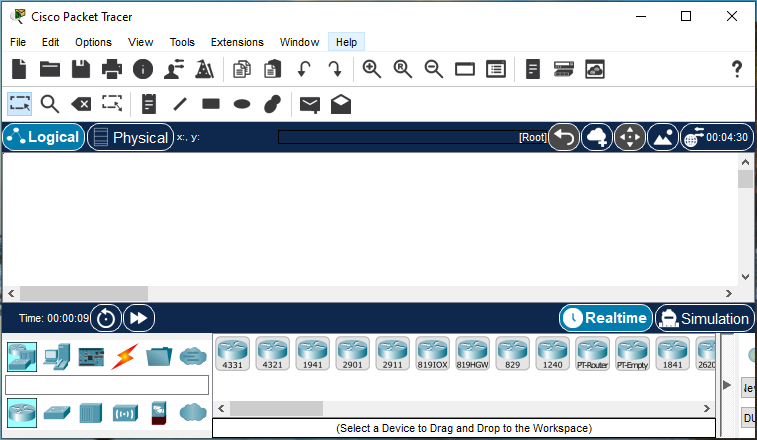
Another advantage is that it provides a safe learning environment. Mistakes are part of the learning process, and Packet Tracer allows students to experiment freely without worrying about damaging expensive equipment or disrupting a production network.
Anyone planning to study for Cisco certifications will find Packet Tracer especially valuable. The software helps learners understand concepts covered in the CCNA curriculum, including routing, switching, VLANs, wireless networking, and network security. Instead of memorizing commands from textbooks, students can apply them in realistic scenarios. This practical experience often leads to a deeper understanding of networking fundamentals and better exam preparation. Networking can be difficult to grasp through theory alone. Reading about routing tables or network protocols is one thing, but seeing packets move through a network is another. Packet Tracer bridges this gap by providing a visual representation of how data travels between devices. The simulation mode is particularly useful because it allows users to observe network traffic step by step. This helps learners understand what is happening behind the scenes and identify configuration mistakes more easily.
Cisco Packet Tracer continues to be one of the best tools for learning computer networking. Its combination of network simulation, visual design, hands-on learning, and educational focus makes it an excellent choice for beginners and experienced users alike. Whether you’re preparing for a Cisco certification, studying networking fundamentals, or simply curious about how modern networks operate, Packet Tracer provides a practical and effective way to build real-world skills.
By allowing users to design, configure, and troubleshoot virtual networks, Packet Tracer turns complex networking concepts into an interactive learning experience that is both engaging and highly valuable.


